
People Who Rarely Get Distracted By Their Phones Usually Use 7 Genius IPhone Tricks
 Ben Elliot | Unsplash
 If your phone were more like your toothbrush, your life would be a lot better. Your toothbrush is the greatest tool of all time. Why? You only use it when you’re supposed to, for as long as you need to, and never forget what it’s for.
A great tool serves only one purpose: to put control in your hands at all times, whether you’re wielding it or not. That makes your iPhone a lousy tool at best. It constantly clamors for your attention and, once it has what it wants, never lets go.
Pew Research Center found that 41% of U.S. adults now describe themselves as online almost constantly. Among adults ages 18 to 29, that number climbs to 63%. I'm sure most of us don't deliberately set out to be online constantly, but unfortunately, it's what happens when your device starts running you instead of the other way around.
Your toothbrush is the embodiment of mindfulness. Your phone, however, is trying hard to get noticed, to seduce you and to make you stay. What if, instead, your phone always kept you in a state in which you’re aware of why you use it and what for? To find out, here’s how you can bring the three characteristics of great tools to your phone.
People who aren't constantly distracted by their iPhones usually know these tricks:
1. They know how to minimize triggers
 Svittlana / Shutterstock
The goal of this first step is that your phone only makes you aware it exists when it would be a good idea for you to pick it up. Depending on your work, that will fall somewhere between ‘never’ and ‘for certain calls only.’ There are two kinds of triggers to eliminate here.
- Aural & haptic triggers: This includes all ringing and vibration. The easiest way to do this is to change just one setting: Go to ‘Sounds,’ uncheck ‘Vibrate on Silent,’ and you’re done. I keep my phone in Silent mode close to 100% of the time. Push down the little knob on the side of your iPhone and check if you see orange.
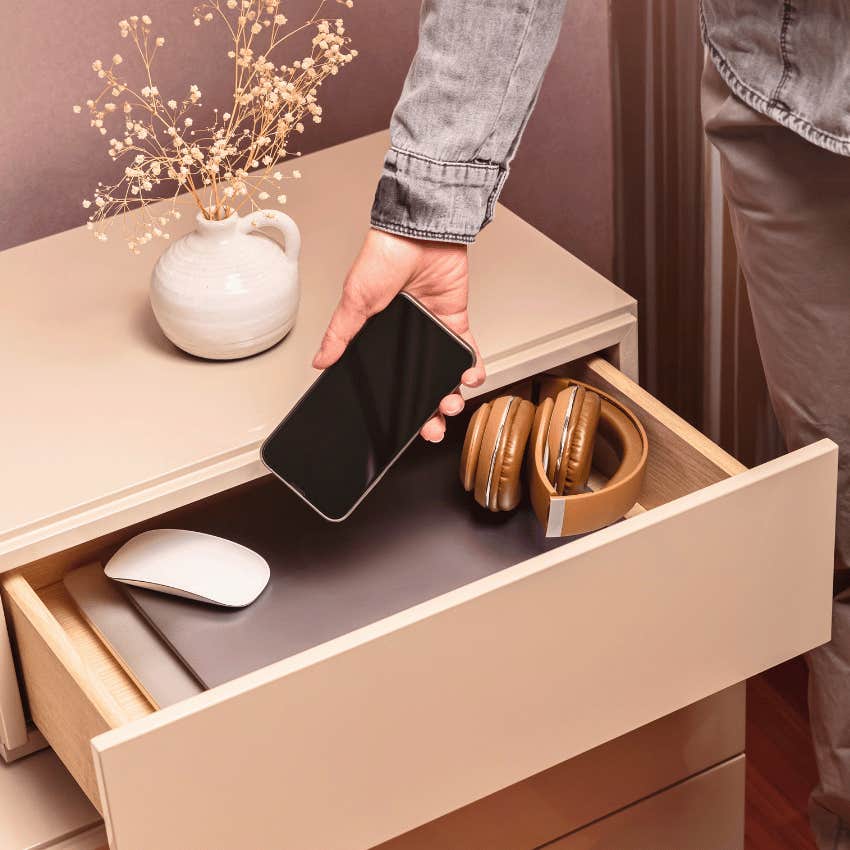
- Visual triggers: When we say “Can I see that?” we usually mean “Can I touch it?” There’s a saying that babies always ‘look’ with their hands, but it’s not just toddlers. To silence your phone’s visual “Come check me, just in case!” screams, hide it from view. Put it in a drawer, leave it in your bag or locker, charge it in another room, or, my go-to choice, simply place it behind your laptop or computer screen.
2. People who rarely get distracted by their phone streamline their usage
The goal of this section is to design a phone that helps you find whatever you need efficiently while requiring as little of your time as possible. Let’s start from the moment you decide you do need to get your phone because you have a proper reason to. The first question that arises is: what do you see when you pick it up?
3. They choose calm wallpapers
I owe a big thank you to Meta designer Jason Stirman for his ideas around calm wallpapers, which I used to design mine.
Everything you see on there, you see for a reason:
- It’s black and white because everything on my phone is. We’ll get to that.
- It’s a picture with zero movement and lots of blank space because that induces calmness, rather than sensory overload.
- It shows a desert, reminding me that a smartphone is like a world in a grain of sand, and it’s usually only a single grain I’m looking for.
- It asks me a thought-provoking question, which forces me to be honest with myself.
While you can find calm wallpapers online, a custom build increases your emotional commitment to using the system. I took an image from Unsplash and made a custom design in Canva. The question sits just below the upper third mark.
You’ll see why I chose “Why am I in your hand?” but here are some variants:
- What are you looking for?
- Why are you here?
- Why are you holding me?
When I look at this screen, I don’t just mindlessly unlock. I think.
4. They make their home screen one that feels like home
No matter how small, the space behind any home’s front door says ‘Welcome.’ But when we enter our phone, most of us end up right in a minefield.
There are two types of mines you can and should sweep right away:
- Dust Catchers. A great decluttering rule is to throw out anything you haven’t worn in 6–12 months. Declutter your app closet. You can always download them again.
- Slot Machines. Medium CEO Tony Stubblebine popularized this phrase for apps you open and immediately get lost in. News, stocks, all social media, games, shopping, and dating apps, for example.
Delete everything that falls into either category. That’s already a lot better, but I want a home screen that feels like home. When I enter, I want a butler to greet me and ask, “What can I do for you today, sir?” A bit like finding an oasis in the desert.
5. Undistracted people utilize grayscale on their phone
 Kaspars Grinvalds / Shutterstock
By now you’ve surely noticed that all pages are black and white. Two reasons:
- The ‘boring’ look reminds me that my phone is not an amusement park.
- Grayscale is a more consistent version of Night Shift, which colors your screen an orange, sunset-like color from dusk till dawn. This helps reduce blue light, which suppresses the production of your sleep hormone, melatonin.
Hat tip to author & entreprenuer Nat Eliason, who I learned this from. Night Shift is under ‘Display & Brightness,’ and Grayscale can be enabled under ‘General’ -> ‘Accessibility’ -> ‘Display Accommodations’ -> ‘Color Filters.’
Unless you take and view lots of photos/videos with your phone for work — let’s face it, who does — the color just makes the distractions more distracting. If you’re not ready for this yet, I suggest you at least enable Night Shift to reduce your phone’s energizing effect at night.
6. People like this disable notifications
Each stop on the way to your target app presents an opportunity to reaffirm what you want, but also one to get distracted. Hence, it’s crucial to get your notification settings right. Out of my 32 apps, only 8 send notifications in one form or another.
- Badges are useful for apps you check once a day or less; for example, only if they contain news, in my case Telegram, Reminders, Phone, and the App Store for updates.
- Banners only make sense for calls or calendar alerts, since they interrupt you while you’re in an app or moving around.
- Alerts I don’t use at all, just worse than banners.
You already know my take on messages: not on the lock screen, only in your notification history. That’s it! Your phone is now streamlined for maximum mindfulness. There’s only one thing left to do.
7. They install exit prompts
This is the utopian dream: a phone that tells you to put it down right when it’s done being useful. I can’t think of a good way to implement this as of now, so my best shot is choosing the perfect question for your wallpaper.
Originally I had it set to “What are you looking for?” However, that only addresses your journey into the phone, not out. After answering your call, you might be ‘looking for’ fun and distractions.
“Why am I in your hand?” is better because the question is just as valid once you’re done using an app.
“Why am I still in your hand?” if you will. To make good use of this, you can:
- Press the home button after finishing your business inside an app.
- Press it again to return to the oasis and hopefully decide to lock your phone.
I’m fascinated by the fact that no one has come up with a good solution for this, though not surprised. You can’t sell medicine to healthy people, and you can’t sell apps to people who don’t use them. Master your tool before it masters you.
Niklas Göke is a Munich-based writer, the author of 2-Minute Pep Talks and The 4 Minute Millionaire, and the founder of Four Minute Books.